> ## Documentation Index
> Fetch the complete documentation index at: https://docs.bethelchms.com/llms.txt
> Use this file to discover all available pages before exploring further.
# What is Bethel ChMS?
> Bethel ChMS is a church management system that helps you organise members, track attendance, run events, and welcome visitors, all in one place.
Bethel ChMS is a church management system built for churches of every size, from a single congregation to a multi-branch network. It gives pastors, office staff, and branch administrators one place to manage the people and activities that keep your church running.
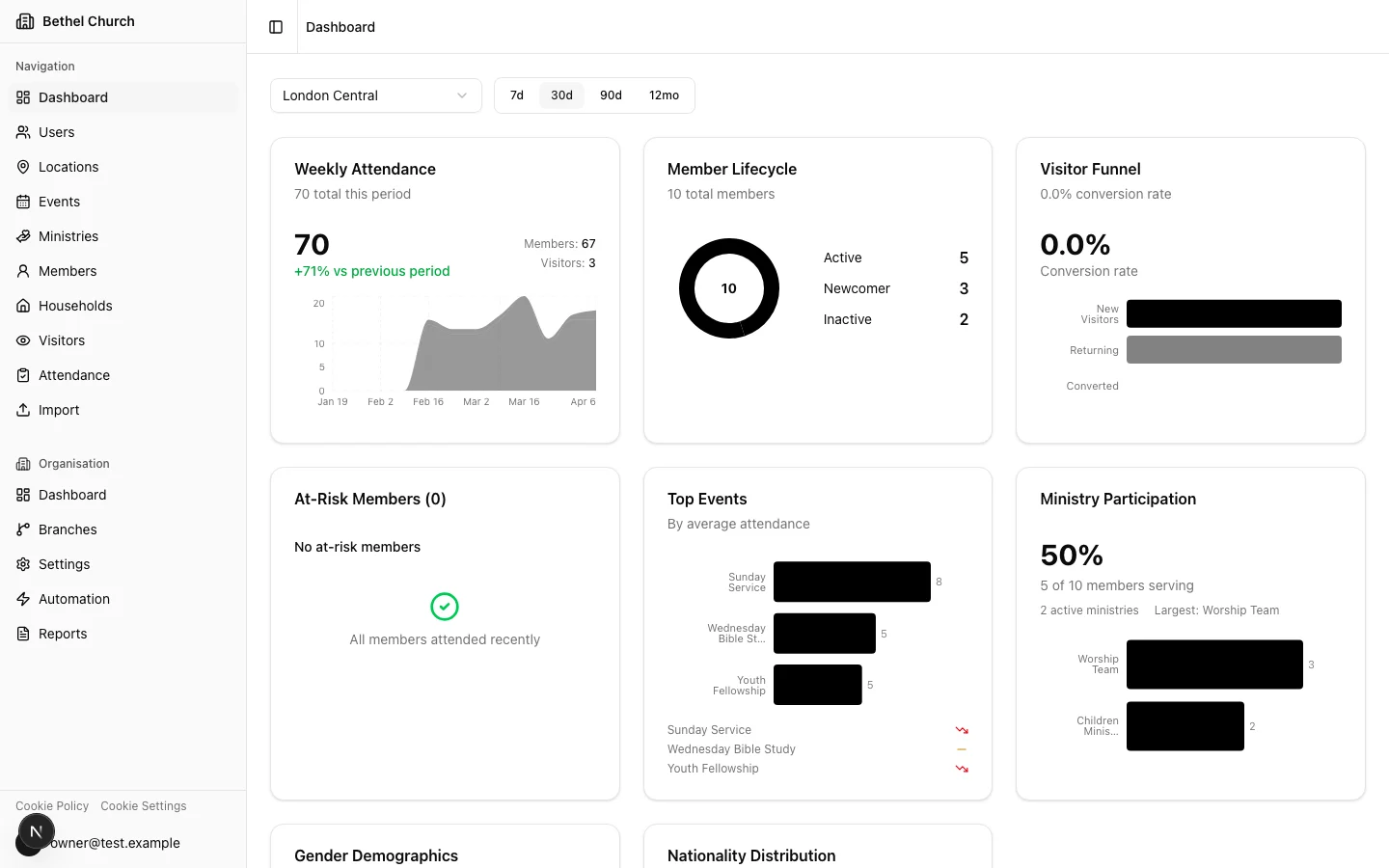 ## What you can do with Bethel ChMS
* **Manage members:** Store contact details, group members by branch, and keep your directory up to date.
* **Track attendance:** Record who attended each service or meeting and spot trends over time.
* **Run events:** Create services, meetings, and special events so your team knows what's coming.
* **Handle visitors:** Log first-time guests and follow up so no one slips through the cracks.
* **Review dashboards:** See branch-level activity and organisation-wide trends.
**What you'll need to get started:** an email address and a few minutes. That's it.
## Key terms
Before you dive in, here are a few terms you'll see throughout Bethel ChMS:
* **Organisation:** Your church network. It contains all your branches, members, and settings.
* **Branch:** An individual church location within your organisation.
* **Branch scope:** The active branch a user is viewing or managing. Org-scoped users can switch branches. Branch-scoped users stay in their assigned branch.
* **Role:** The level of access a person has in Bethel ChMS, such as **Org Admin**, **Branch Admin**, **Editor**, or **Treasurer**.
## Next steps
Ready to set up your church? Head over to the setup guide to create your organisation and add your first branch.
Create your organisation, add a branch, and invite your first team members.
## What you can do with Bethel ChMS
* **Manage members:** Store contact details, group members by branch, and keep your directory up to date.
* **Track attendance:** Record who attended each service or meeting and spot trends over time.
* **Run events:** Create services, meetings, and special events so your team knows what's coming.
* **Handle visitors:** Log first-time guests and follow up so no one slips through the cracks.
* **Review dashboards:** See branch-level activity and organisation-wide trends.
**What you'll need to get started:** an email address and a few minutes. That's it.
## Key terms
Before you dive in, here are a few terms you'll see throughout Bethel ChMS:
* **Organisation:** Your church network. It contains all your branches, members, and settings.
* **Branch:** An individual church location within your organisation.
* **Branch scope:** The active branch a user is viewing or managing. Org-scoped users can switch branches. Branch-scoped users stay in their assigned branch.
* **Role:** The level of access a person has in Bethel ChMS, such as **Org Admin**, **Branch Admin**, **Editor**, or **Treasurer**.
## Next steps
Ready to set up your church? Head over to the setup guide to create your organisation and add your first branch.
Create your organisation, add a branch, and invite your first team members.