> ## Documentation Index
> Fetch the complete documentation index at: https://docs.bethelchms.com/llms.txt
> Use this file to discover all available pages before exploring further.
# Roles and permissions
> Understand the five roles in Bethel ChMS, what each one can do, and how org-scoped and branch-scoped access work.
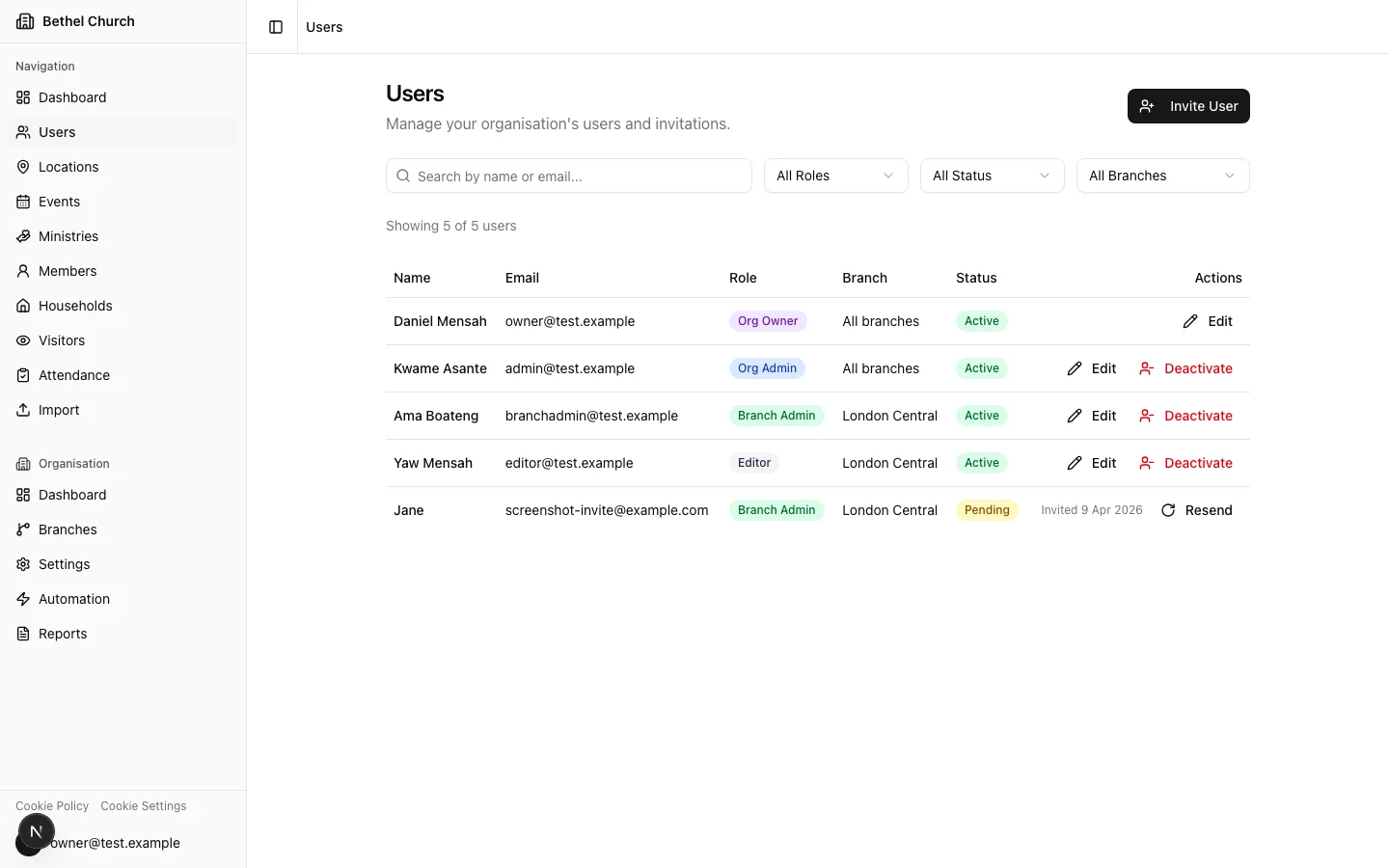
Bethel ChMS uses five roles to control what people can see and do. Each role operates at one of two scopes: **organisation-level** across all branches, or **branch-level** within a single branch.
## The five roles
### Organisation owner
There is one organisation owner per organisation. The owner has full control over the organisation, including settings, branches, users, billing, currency, ownership transfer, and organisation deletion.
The organisation owner is the only person who can transfer ownership to someone else.
### Organisation admin
Organisation admins have visibility across the entire organisation. They can view branch records across all branches and manage supported branch records after selecting a branch. They can manage users, branches, custom fields, tags, update campaigns, and organisation-wide reports.
Think of this role as headquarters oversight and administration. Most day-to-day branch data entry still happens at the branch level.
### Branch admin
Branch admins have full control within their own branch. They can create, edit, and delete members, events, locations, attendance records, visitors, and branch update campaigns. They can also invite other branch admins and editors to their branch.
This is the right role for a local church administrator or branch pastor who manages their own congregation's data.
### Editor
Editors can create and edit records within their branch, including members, events, locations, attendance, and visitors. They can view update campaign dashboards and review submitted campaign changes. They cannot delete records, manage campaigns, or manage users.
Assign this role to volunteers or staff who need to enter data but should not remove anything or invite other users.
### Treasurer
Treasurers are branch-scoped finance users. They can access **Gifting & Donations** and gifting reports for their assigned branch. They cannot access members, update campaigns, events, ministries, attendance, users, branch settings, or organisation settings.
Assign this role to finance team members who need donation records without wider church management access.
## Org-scoped vs branch-scoped
Roles fall into two groups based on what they can see:
* **Org-scoped roles** (**Org Owner** and **Org Admin**) can see data across all branches. Branch-level pages let them select a branch and manage supported records in that branch.
* **Branch-scoped roles** (**Branch Admin**, **Editor**, and **Treasurer**) only see their own branch. They work with the data they're responsible for and have no visibility into other branches.
Org-scoped roles use the branch selector for branch-level pages. Check each feature guide for the exact actions available.
## Branch selector behavior
Org-scoped users see a branch selector on branch-level pages such as **Dashboard**, **Members**, **Events**, **Locations**, **Attendance**, and **Visitors**. Selecting a branch adds a `branchId` value to the URL and saves the selection for future pages.
Branch-scoped users do not see the branch selector. Bethel ChMS always uses their assigned branch.
## Per-role capabilities
| Capability | Access |
| --------------------------- | --------------------------------------------------------------- |
| Manage org settings | Full access |
| Manage branches | Create, edit, duplicate, copy resources, and delete |
| Manage users | Invite and manage any role |
| Manage members | Full access through branch selector |
| Manage update campaigns | Create, launch, share, stop, delete, and review across branches |
| Manage events | Full access through branch selector |
| Manage locations | Full access through branch selector |
| Record attendance | Full access through branch selector |
| Manage visitors | Full access through branch selector |
| Manage custom fields | Full access |
| Manage tags | Full access |
| Manage billing and currency | Full access |
| Gifting & Donations | Full access across branches |
| Delete records | Org-level records, branches, and supported branch records |
| Capability | Access |
| --------------------------- | --------------------------------------------------------------- |
| Manage org settings | Limited access |
| Manage branches | Create, edit, duplicate, and copy resources |
| Manage users | Invite and manage org admin, branch admin, editor, or treasurer |
| Manage members | Full access through branch selector |
| Manage update campaigns | Create, launch, share, stop, delete, and review across branches |
| Manage events | Full access through branch selector |
| Manage locations | Full access through branch selector |
| Record attendance | Full access through branch selector |
| Manage visitors | Full access through branch selector |
| Manage custom fields | Full access |
| Manage tags | Full access |
| Manage billing and currency | View only |
| Gifting & Donations | Full access across branches |
| Delete records | Supported branch records only |
| Capability | Access |
| ----------------------- | ------------------------------------------------------------- |
| Manage org settings | Read-only where visible |
| Manage branches | Edit own branch details only |
| Manage users | Invite and manage branch admin or editor in own branch |
| Manage members | Full access in own branch |
| Manage update campaigns | Create, launch, share, stop, delete, and review in own branch |
| Manage events | Full access in own branch |
| Manage locations | Full access in own branch |
| Record attendance | Full access in own branch |
| Manage visitors | Full access in own branch |
| Manage tags | Full access; changes apply organisation-wide |
| Gifting & Donations | No access |
| Delete records | Branch-level records only |
| Capability | Access |
| ----------------------- | ------------------------------------------- |
| Manage org settings | Read-only where visible |
| Manage branches | No access |
| Manage users | No access |
| Manage members | Create and edit in own branch, no delete |
| Manage update campaigns | View dashboards and review submissions only |
| Manage events | Create and edit in own branch, no delete |
| Manage locations | Create and edit in own branch, no delete |
| Record attendance | Full access in own branch |
| Manage visitors | Create and edit in own branch, no delete |
| Gifting & Donations | No access |
| Delete records | No access |
| Capability | Access |
| ----------------------- | ------------------------------------- |
| Manage org settings | No access |
| Manage branches | No access |
| Manage users | No access |
| Manage members | No access |
| Manage update campaigns | No access |
| Manage events | No access |
| Manage locations | No access |
| Record attendance | No access |
| Manage visitors | No access |
| Gifting & Donations | Full access in own branch |
| Gifting reports | Own branch |
| Delete records | No access outside finance permissions |
## Who can invite whom
Not every role can invite every other role. Here's how the invitation chain works:
| Your role | You can invite |
| ------------ | ---------------------------------------------- |
| Org Owner | Org Admin, Branch Admin, Editor, or Treasurer |
| Org Admin | Org Admin, Branch Admin, Editor, or Treasurer |
| Branch Admin | Branch Admin or Editor in your own branch only |
| Editor | No one |
| Treasurer | No one |
Branch admins can only invite people into their own branch. They cannot invite **Org Admin** or **Treasurer** users.
## How role changes take effect
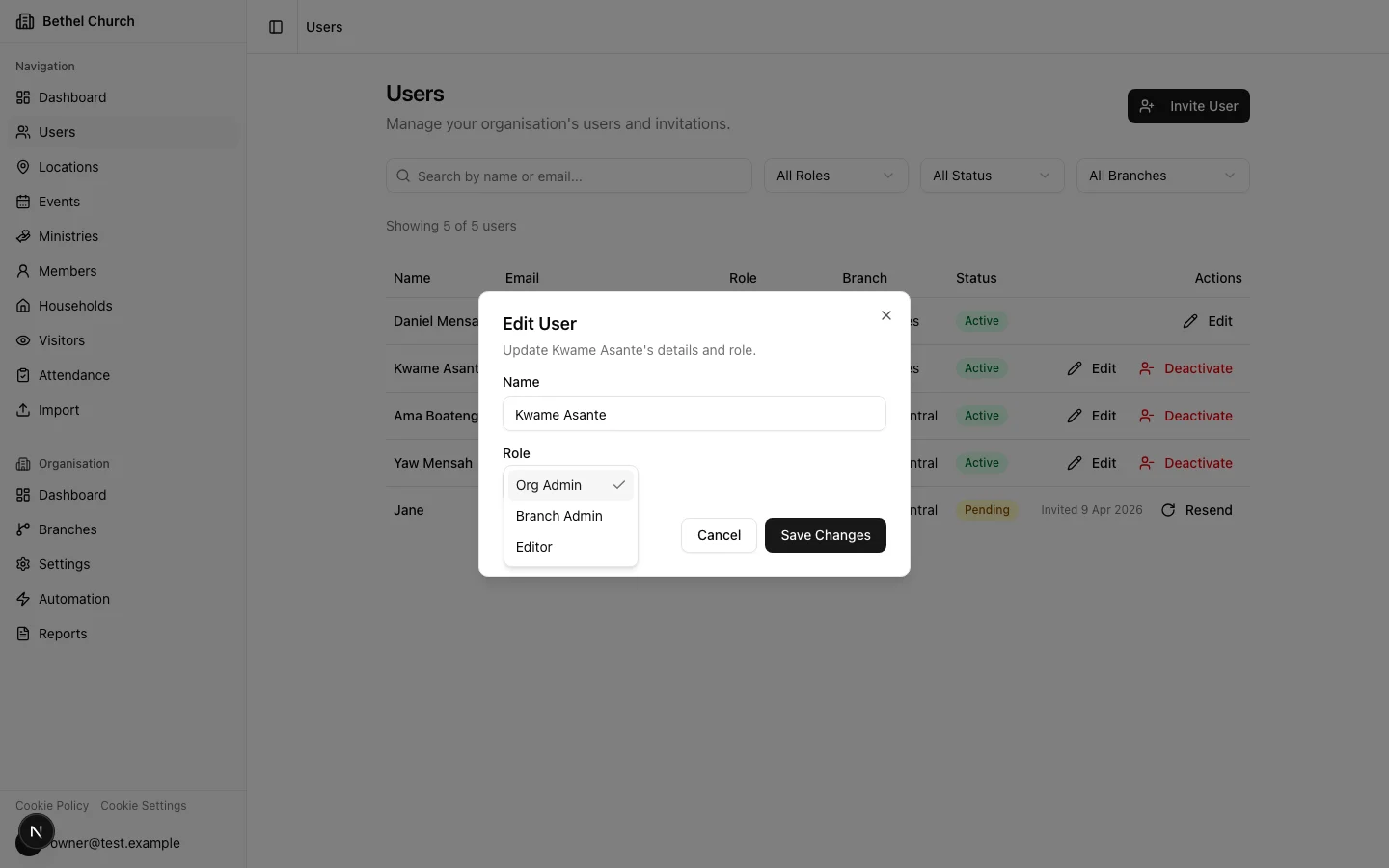
When you change someone's role or branch assignment, Bethel ChMS refreshes their access token automatically. The new permissions apply almost immediately, so the person does not need to log out and back in.
 ## Transferring ownership
Only the current organisation owner can transfer ownership. You might do this when a senior pastor hands off leadership, or when a denominational office restructures how accounts are managed.
Go to **Organisation Settings** from the sidebar.
In the ownership section, choose an existing **Org Admin** to become the new owner. Only active org-scoped **Org Admin** users are eligible.
Enter your password and complete the CAPTCHA challenge to confirm the transfer. Once confirmed, you become an **Org Admin** and the selected person becomes the **Org Owner**.
## Transferring ownership
Only the current organisation owner can transfer ownership. You might do this when a senior pastor hands off leadership, or when a denominational office restructures how accounts are managed.
Go to **Organisation Settings** from the sidebar.
In the ownership section, choose an existing **Org Admin** to become the new owner. Only active org-scoped **Org Admin** users are eligible.
Enter your password and complete the CAPTCHA challenge to confirm the transfer. Once confirmed, you become an **Org Admin** and the selected person becomes the **Org Owner**.
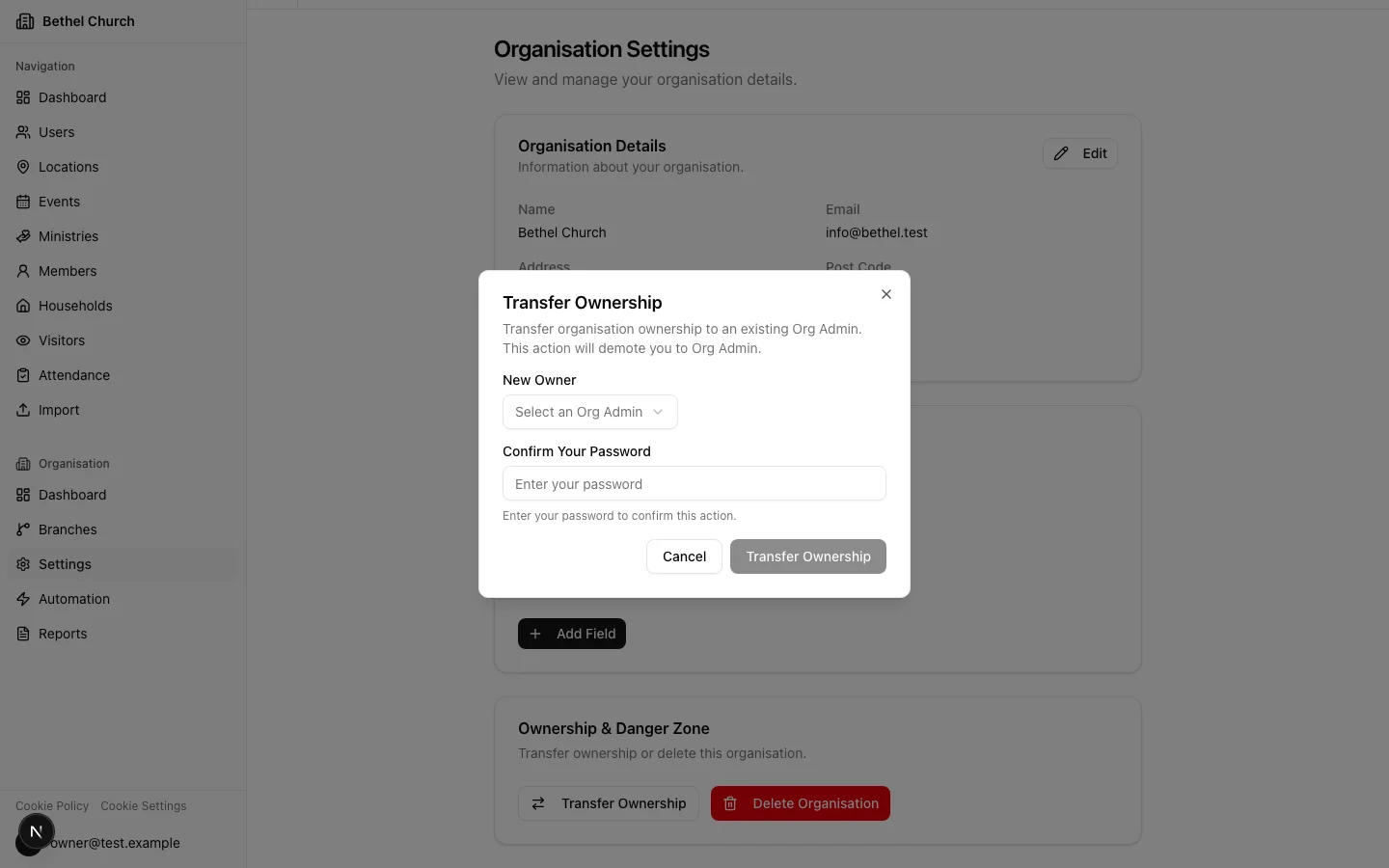 Ownership transfer is immediate and cannot be undone by you. The new owner would need to transfer it back. Make sure you're selecting the right person.