

1
Sign up for an account
Go to app.bethelware.com and select Sign Up.Enter your email address and choose a password. Your password must be at least 8 characters long.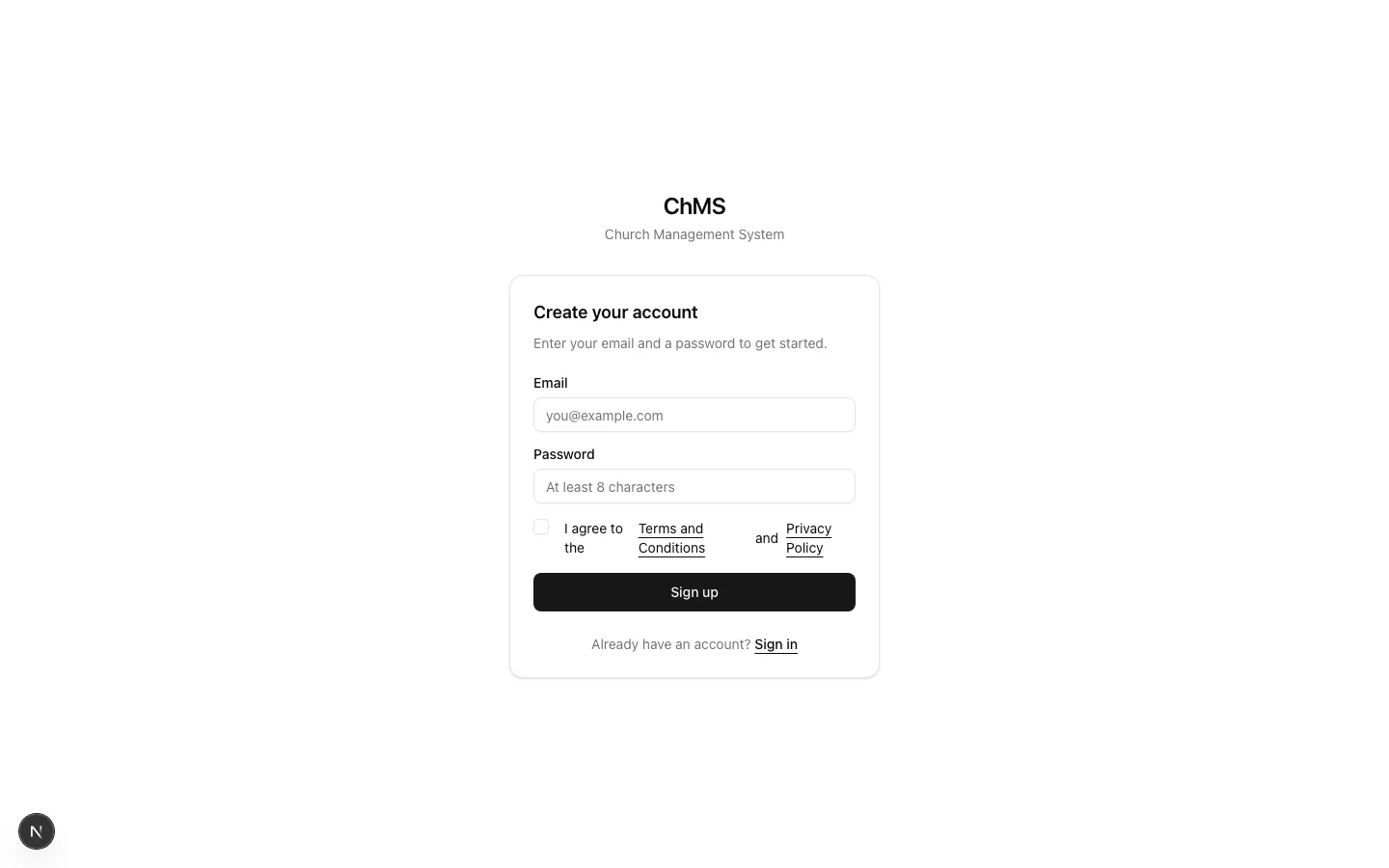
2
Create your organisation
An organisation is your church network: it contains all your branches, members, and settings. If you lead a single church, your organisation is that church. If you oversee multiple campuses, your organisation is the umbrella that holds them all together.Fill in the following details: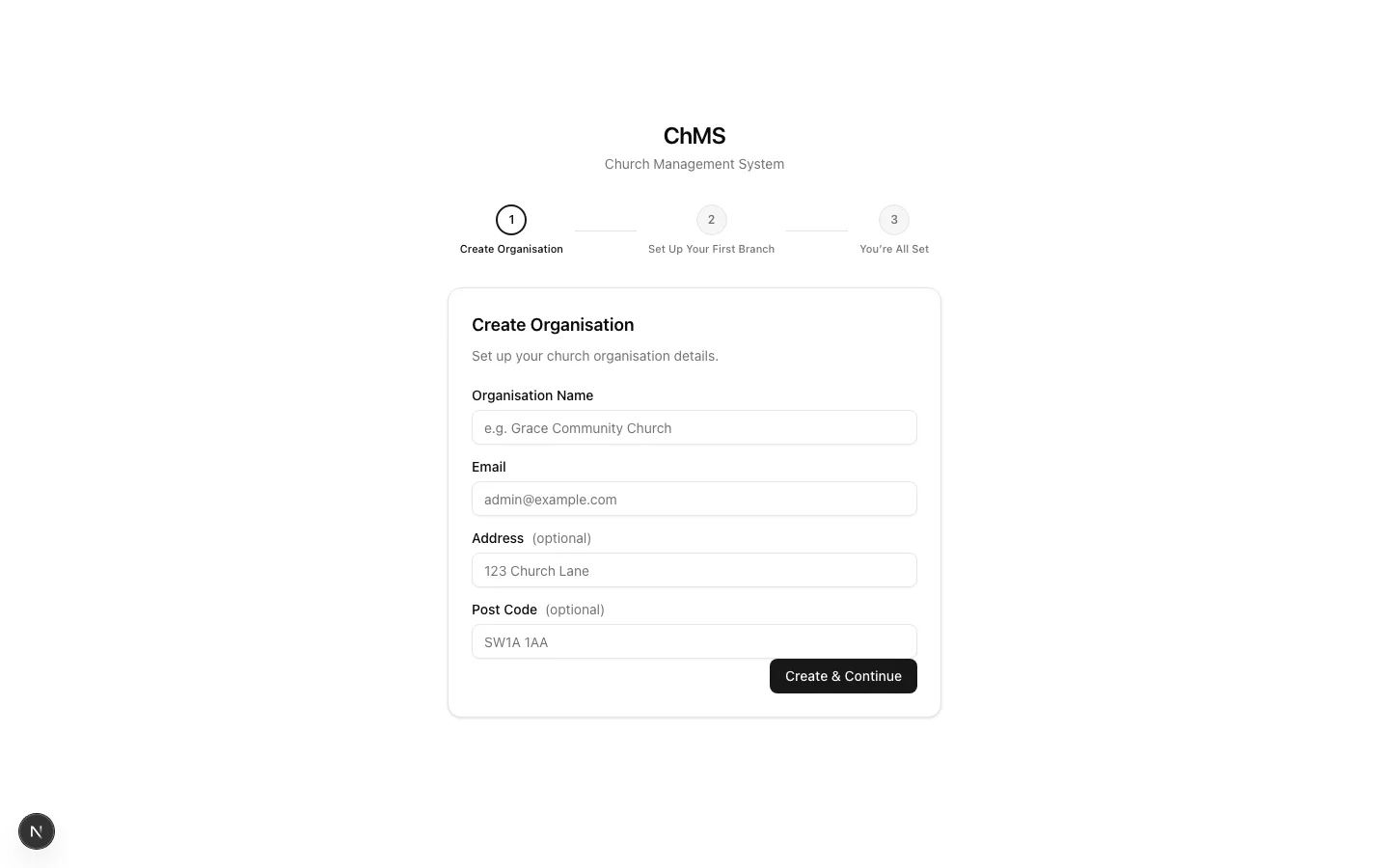
You automatically become the organisation owner, the highest permission level in Bethel ChMS. You can manage everything across all branches, invite other users, and assign roles. See Roles and permissions for details.
3
Create your first branch
A branch is an individual church or campus within your organisation. Even if you only have one location, Bethel ChMS uses branches to organise your members, events, and attendance data.Fill in the following details: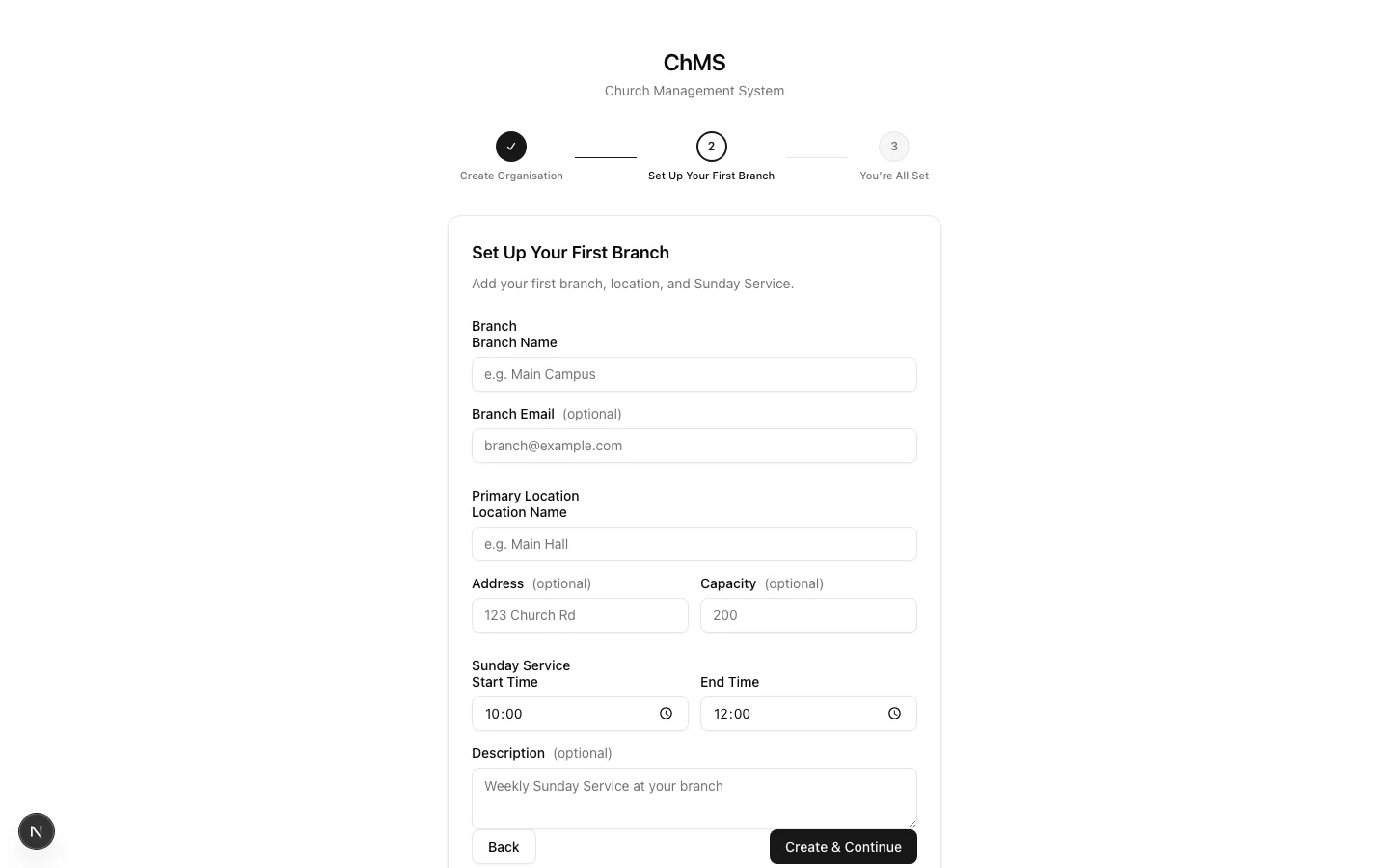
4
You're in
That’s it, you land on your dashboard. From here you can see your selected branch at a glance, including member demographics, upcoming events, recent check-ins, and member lists.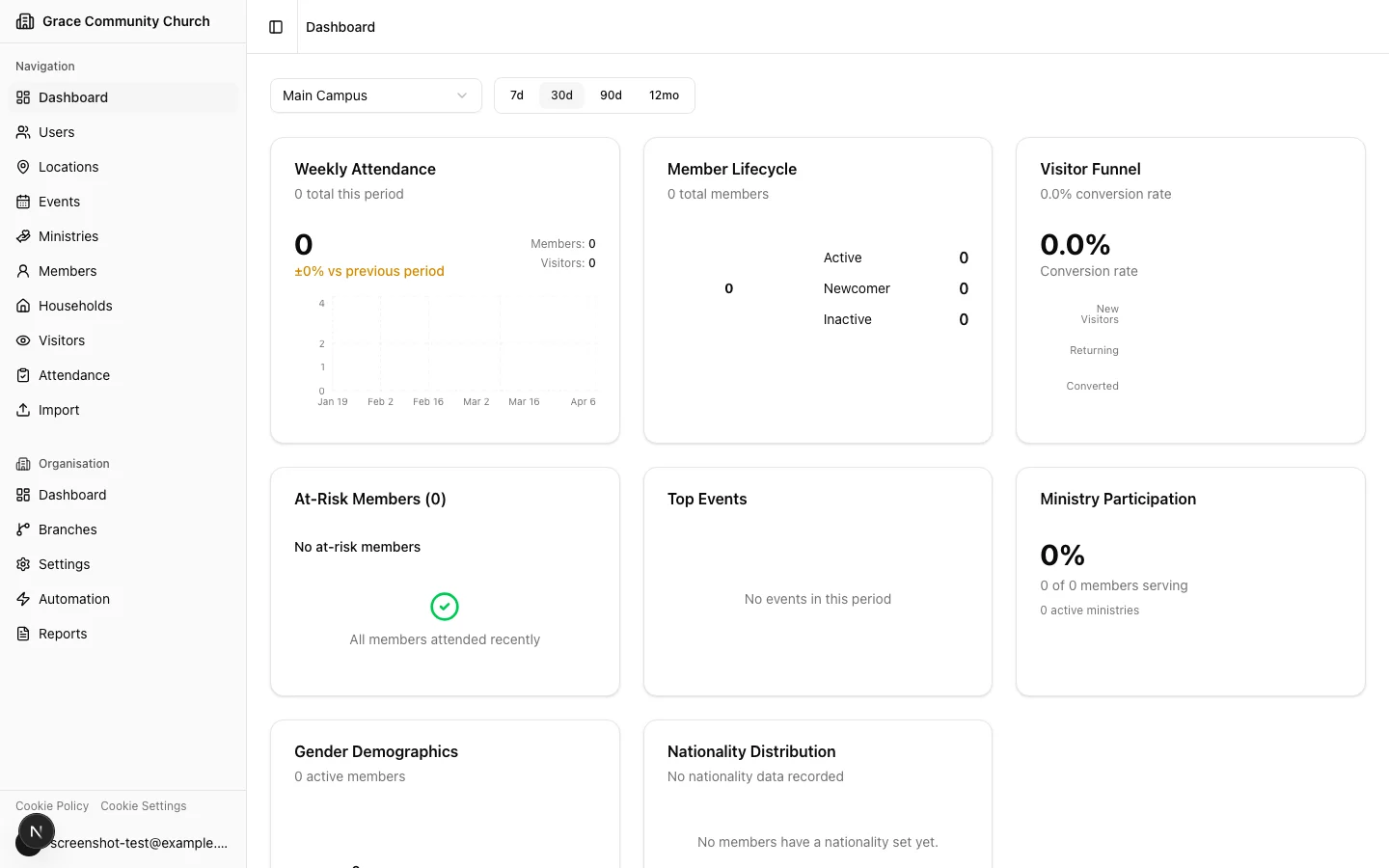
- Invite users: Add pastors, admins, finance users, or volunteers to your team and assign them roles.
- Add members: Start building your church directory by adding members to your branch.
- Review dashboards: Understand the difference between branch and organisation dashboards.